If you’ve ever worked with embedded vision systems, robotics, or DIY project builds, you’ve probably found yourself squinting at product specs and wondering: why does every USB 2.0 camera module list a different field of view (FOV)? As the owner of a small, specialized camera component supply company—one that’s been shipping reliable USB 2.0 modules to engineers, makers, and integrators for over a decade—I get this question all the time. It’s one of the most common inquiries on our tech support line, and it’s also one of the most misunderstood. Let’s break down exactly what FOV means for a typical USB 2.0 camera module, why it varies, and how to pick the right one for your project—no confusing jargon required. USB 2.0 Camera Module
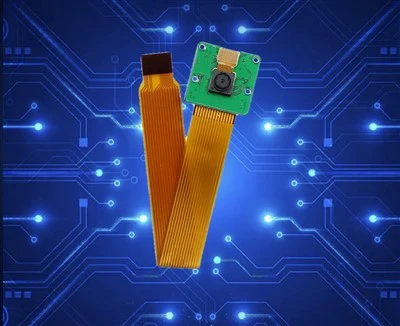
First, let’s get back to basics: what is FOV, anyway? Simply put, FOV is the total area of the world that a camera can “see” at a given distance, measured in degrees (for angular FOV) or sometimes in inches/meters at a set working distance (for linear FOV). For USB 2.0 camera modules, this number isn’t pulled out of thin air—it’s a calculation based on three core parts of the camera: the lens, the image sensor, and the camera’s overall design.
Let’s start with the image sensor, the part that captures light and turns it into digital data. Most off-the-shelf USB 2.0 camera modules use small sensors optimized for compact size and low power draw—key for USB 2.0’s role in portable or space-constrained devices. The most common sensor size for mid-range USB 2.0 modules is the 1/4-inch CMOS sensor, which measures roughly 3.6mm diagonally. You’ll also find 1/3-inch sensors (around 4.8mm diagonal) in higher-resolution modules, and even smaller 1/5-inch sensors (2.8mm) for ultra-compact builds. The larger the sensor’s diagonal dimension, the wider the potential FOV—all else being equal. That’s why a 1/3-inch sensor will always have a wider FOV than a 1/4-inch sensor with the same lens.
Next up is the lens, the most visible and adjustable part of the FOV equation. USB 2.0 camera modules come with two main lens types: fixed-focus lenses, which are standard for most mass-produced modules, and optionally interchangeable C/CS-mount lenses for custom projects. For fixed-focus modules (the 90% of our standard stock), lens focal length is the biggest FOV driver. Focal length is measured in millimeters, and it describes how strongly the lens bends light to focus on a point. A shorter focal length = a wider FOV; a longer focal length = a narrower, zoomed-in FOV.
For example, our most popular entry-level USB 2.0 module, the one with a 1/4-inch 5MP sensor and a fixed 2.8mm lens, has a horizontal FOV of roughly 62 degrees, vertical FOV of 38 degrees, and diagonal FOV of about 70 degrees. Our mid-range module with the same 1/4-inch sensor but a 3.6mm fixed lens bumps the horizontal FOV to 48 degrees, vertical to 28, and diagonal to 57. If you want a super-narrow FOV for things like barcode scanning or close-up inspection, we also have modules with 6mm lenses that cap horizontal FOV at 30 degrees—enough to zoom in on a small part without capturing extra background.
Wait, but why do different manufacturers list FOV numbers that don’t match, even for the same sensor and lens? That’s because FOV is often measured differently across the industry. Some brands specify “nominal FOV,” which is the theoretical maximum, while others list “usable FOV,” accounting for lens distortion or the sensor’s edge pixels that are often too blurry to use. Some even omit whether they’re measuring horizontal, vertical, or diagonal FOV—mixing those up leads to all kinds of wrong project fits. For our part, at our supply company, we always list all three FOV angles for every module on our spec sheets, and we include a note that all measurements are taken at a 1-meter working distance (a standard benchmark for industrial and DIY projects) so customers can compare apples to apples.
Now, let’s talk about USB 2.0-specific constraints, because this isn’t a full-frame DSLR we’re dealing with. USB 2.0 has a maximum data transfer rate of 480 Mbps, which limits the resolution and frame rate of camera modules. Unlike USB 3.0 or 3.1 modules that can handle high-resolution 4K or 8K sensors, most USB 2.0 camera modules cap out at 1080p resolution, with many entry-level models at 720p or VGA (640×480). That resolution limit doesn’t directly change FOV, but it does affect how you use FOV for your project. For example, if you’re building a proximity sensor with a VGA USB 2.0 module, a 70-degree diagonal FOV works fine for detecting objects across a wide area, but if you’re trying to read small text at 2 meters away, a narrower 30-degree FOV will give you clearer, more detailed data without stretching the VGA pixels too thin.
Another common question I get: can I adjust the FOV of a standard USB 2.0 camera module after I receive it? For most fixed-focus modules, the answer is no—their lenses are glued in place during manufacturing, so you can’t swap them out without custom machining. That’s why we always encourage customers to specify their exact FOV needs when ordering, rather than trying to modify a stock module. For projects that require a custom FOV, we also offer semi-custom USB 2.0 modules where we can swap out fixed lenses for different focal lengths, or even modify the sensor for high-sensitivity low-light use, for a small lead time and no minimum order (perfect for small-batch makers or prototype builds).
I see a lot of makers and engineers make the mistake of picking the widest FOV possible for their project, thinking “more is better.” But that’s rarely the case. A too-wide FOV leads to more peripheral distortion, lower clarity in the center of the frame, and more unwanted data that you have to process and discard. For example, if you’re building a doorbell camera, a 100-degree diagonal FOV might sound great for seeing the whole porch, but the edges of the frame will be blurry, making it hard to identify a person’s face or a license plate. A 70-degree FOV, by contrast, balances wide coverage and clear detail, which is ideal for that use case. For industrial inspection, a narrow 25-degree FOV is often better because it keeps the focused area of the frame tight on the part you’re checking, reducing the chance of false positives from background objects.
Let’s also clear up a common myth: FOV isn’t just a property of the camera alone—it’s dependent on how far the camera is from the scene you’re capturing. The angular FOV (measured in degrees) stays the same, but the linear FOV (how many meters or feet wide the scene is at a certain distance) changes. For example, our 62-degree horizontal FOV module will capture a scene that’s 1.1 meters wide at 1 meter away, 2.2 meters wide at 2 meters away, and 3.3 meters wide at 3 meters away. If you’re designing a system where the camera will be mounted 5 meters from the target, you can use that math to calculate exactly how much area your module will cover, or reach out to us and we’ll help you do the math for your specific application.
Over the years, I’ve helped thousands of customers navigate FOV choices, and the biggest tip I can give is to match your FOV to your use case, not just the spec sheet. If you’re a hobbyist building a pet camera to monitor your living room, a wide 70-degree FOV is perfect for catching your cat on the couch. If you’re an industrial integrator building a conveyor belt inspection system, a narrow 30-degree FOV with a fixed 6mm lens will give you the sharp, consistent detail you need to spot defects in parts moving past the camera. If you’re working on a wearable device with ultra-tight space, our tiny 1/5-inch sensor modules with 2.1mm lenses offer a 85-degree diagonal FOV—one of the widest available for compact USB 2.0 modules—without adding bulk.
One thing I’m proud of at our company is that we don’t cut corners on FOV specs. Some low-cost suppliers will advertise a 120-degree FOV for a $5 USB 2.0 module, but that number is usually the theoretical maximum before lens distortion, and the actual usable FOV is more like 80 degrees—if that. All of our modules’ FOV numbers are tested in-house with a goniometer, a tool that measures angular visibility, and we publish the raw test data alongside the spec sheet so you know exactly what you’re getting. We also keep a library of case studies for common projects, from barcode scanners to drone payloads to educational robots, so you can see exactly which FOV works for similar builds.

If you’re still not sure which FOV is right for your USB 2.0 camera module project, or you’re looking for a custom module built to your exact specs, feel free to reach out to our team. We’ve been in this business long enough to know that FOV isn’t just a number—it’s the foundation of a good vision system, and getting it right can make the difference between a project that works and one that falls flat. Don’t waste time guessing at spec sheets—talk to us directly, and we’ll help you find the perfect USB 2.0 camera module for your needs.
Standard (5–12MP) References
- “Camera Field of View Calculations,” OpenCV Documentation, 2023.
- USB Implementers Forum, “USB 2.0 Specification Revision 2.0,” 2007.
- CMOS Image Sensor Design Handbook, Sony Semiconductor Solutions, 2022.
- Industrial Vision Association, “Field of Best Practice for Machine Vision Component Selection,” 2021.
Shenzhen Juchangxing Technology Co., Ltd.
We are one of the most experienced usb 2.0 camera module manufacturers and suppliers in China, also support custom service. We warmly welcome you to wholesale durable usb 2.0 camera module at competitive price from our factory. If you have any enquiry about cooperation, please feel free to email us.
Address: 3rd Floor, Build A, No. 8, Huangdiyin Industrial Zone, Longhua District, Shenzhen.
E-mail: sales@juchangxing.com
WebSite: https://www.jcxcamera.com/
